






Close
All Categories
    Filters
    Preferences
    Search
    RSS

    2026, August

    0 FTC Odometry: Getting Started with the Cypher MAX Encoder

    Quick Summary: The Cypher MAX is an external encoder that can help FTC teams track robot movement for odometry and localization. Learn how external encoders and dead wheels work, why they can improve autonomous movement, and the basics of quadrature and absolute encoders.

    FTC Odometry: Know Where Your Robot Is

    In autonomous, knowing where your robot should be isn't enough. You need to know where it actually is. FTC odometry uses sensor data to estimate your robot's position and movement on the field, helping teams create autonomous routines that are more precise and repeatable.

    Cypher Max OdometryMany FTC teams use the encoders built into their drive motors to estimate movement. But when wheels slip, traction changes, or a mecanum drivetrain strafes across the field, motor rotation doesn't always tell the whole story. An external encoder and tracking wheel can provide another way to measure how the robot is actually moving.

    The Cypher MAX Through Bore Encoder is an external through-bore encoder that can be used with a dead wheel for odometry and robot localization, as well as applications such as mechanism position tracking and RPM measurement. Let's look at how it works and why external encoder data can be useful for FTC teams.

    What Is an Encoder?

    An encoder is a sensor that measures rotational movement. As a shaft or wheel rotates, the encoder converts that movement into signals that a robot controller can use to determine position, speed, distance, or direction. This information is especially valuable for autonomous routines that require precise and repeatable movement.

    How Is the Cypher MAX Different from a Typical Motor Encoder?

    A typical motor encoder measures the rotation of the motor shaft. The Cypher MAX is an external through-bore encoder, which means it can be mounted independently from the drive motor.

    For example, an FTC team can mount the Cypher MAX to a dedicated tracking wheel, commonly called a dead wheel, to measure the actual movement of the robot rather than relying only on drivetrain motor rotation. This gives teams another source of encoder data for odometry and robot localization.

    Why Use an External Encoder for FTC Odometry?

    Using motor encoders to estimate drivetrain movement is a straightforward approach to localization, and it can work well. However, the rotation of a drivetrain wheel does not always perfectly represent the robot's actual movement.

    This is particularly relevant for mecanum-drive robots. When a robot accelerates, decelerates, strafes, or rotates, changes in traction can cause drivetrain wheels to slip or lose contact with the field. The motor encoder continues to measure the rotation of the motor shaft, even when the robot's actual movement differs from the calculated movement.

    That difference can become more noticeable when an autonomous routine needs to make precise strafing movements, navigate to multiple locations, align with field elements, or position the robot consistently for scoring. An external encoder mounted to a dedicated tracking wheel provides another way to collect movement data that is less dependent on drivetrain motor rotation.

    What Is a Dead Wheel?

    A dead wheel, also called a tracking wheel, is a small unpowered wheel dedicated to measuring robot movement. The wheel and encoder are often mounted together as part of an odometry pod.

    Unlike a drivetrain wheel, a dead wheel does not drive the robot. Instead, it rolls along the field as the robot moves. An encoder attached to the wheel measures its rotation, providing data that can be used to estimate the robot's movement and position.

    Many odometry systems use multiple tracking wheels positioned to measure movement in different directions. By combining these encoder measurements with the known positions of the tracking wheels on the robot, software can estimate forward movement, lateral movement, and changes in heading.

    Dead wheels are not completely immune to error. They can still slip or lose contact with the field if the odometry pod is poorly designed.

    Dead Wheel Reliability Checklist

    A dead wheel can provide useful odometry data, but the mechanical setup matters. Before relying on a tracking wheel for autonomous movement, check that your odometry system is set up to provide consistent readings.

    Use this checklist when designing or troubleshooting your dead wheel setup:

    • Maintain consistent contact with the field. The tracking wheel should stay in contact with the field as the robot moves without excessive bouncing or losing contact.
    • Minimize mechanical flex. Movement in the odometry pod or mounting structure can introduce inaccuracies into your encoder readings.
    • Properly support the encoder. Make sure the encoder and shaft are securely mounted to prevent unnecessary movement or misalignment.
    • Keep the tracking wheel aligned. Proper alignment helps ensure the wheel is measuring movement in the intended direction.
    • Reduce unnecessary vibration. Excessive vibration or movement in the mechanism can affect the consistency of your measurements. 

    Remember: Dead wheels are not completely immune to error. Wheel slip, inconsistent field contact, mechanical flex, and setup issues can still affect localization accuracy.

    Benefits of External Encoders for FTC Teams

    Using an external encoder with a dead wheel gives FTC teams another source of movement data that is less dependent on drivetrain motor rotation. This can help reduce the effects of drivetrain wheel slip on localization and support more precise and repeatable autonomous movements.

    External encoders also give students an opportunity to explore how encoder data is used for odometry and robot localization, while creating a foundation for more advanced autonomous programming.

    What Is the Difference Between a Quadrature Encoder and an Absolute Encoder?

    Encoders can measure rotation in different ways. Two common types are quadrature encoders and absolute encoders, and the difference comes down to how they report position.

    A quadrature encoder tracks changes in position as a shaft rotates. It outputs signals through its A and B channels, and the robot can interpret those signals to determine how far and in which direction the shaft has moved. The Cypher MAX also includes an index, or I, channel that provides a reference point once per revolution.

    An absolute encoder works differently. It provides a position value that corresponds to the shaft's current position, rather than requiring the robot to track changes from a starting point. The position is represented by a unique output value, allowing the robot to determine the shaft's position without calculating movement from a starting point.

    Feature Quadrature Encoder Absolute Encoder
    What it measures Changes in position as the shaft rotates The shaft's current position
    How position is determined Counts pulses from movement starting from a reference point Each shaft position has a unique value
    Direction A and B channel timing can be used to determine direction Direction can be determined by comparing position readings
    Channels / Output A, B, and I (index) channels Absolute PWM output
    Resolution 2,048 counts per revolution 12-bit resolution
    Reference point I/index channel provides one reference point per revolution No need to count from a starting position
    Best for Tracking movement, distance, and rotation Knowing the shaft's current position


    Why Does This Matter for FTC Teams?

    For odometry, teams are primarily interested in measuring how much movement has occurred, which is where quadrature encoder data is useful. The robot can count encoder changes and combine that information with factors such as wheel circumference, gear ratios, and tracking wheel placement to estimate movement across the field.

    Absolute position data can be useful in other situations, particularly when a robot needs to know the current position of a rotating mechanism or shaft.

    The Cypher MAX provides A, B, and I quadrature outputs as well as an absolute PWM output, giving teams flexibility for odometry, mechanism position tracking, and other robotics applications.

    Applications for the Cypher MAX Encoder

    Odometry and robot localization are just some of the potential applications for an external encoder.

    The Cypher MAX can also be used for:

    • Mechanism position tracking
    • Arms and lifts
    • Rotating or pivoting mechanisms
    • RPM measurement
    • General shaft position tracking

    This makes an external encoder a useful tool not only for autonomous navigation but also for teaching and experimenting with different robotics applications.

    Getting Started with Hardware and Software Setup

    Once you understand how the encoder works, the next step is installing it and configuring your robot to read its data.

    Setup at a Glance


    Component What It Does
    Cypher MAX Encoder Measures rotational movement and provides quadrature or absolute position data
    FTC cable Connects the encoder to compatible FTC hardware
    Tracking wheel or mechanism Converts movement into encoder rotation for measurement
    Shaft or insert Connects the encoder to the mechanism being measured
    Mounting hardware Keeps the encoder and tracking mechanism securely positioned


    Hardware Installation

    When mounting an encoder for odometry, focus on keeping the encoder properly supported, aligned, and protected from unnecessary movement or flex.

    For an odometry pod, the tracking wheel should maintain consistent contact with the field while still rotating freely. A stable mechanical setup helps produce more consistent encoder readings and, ultimately, more reliable position tracking.

    Example Odometry Pod

    Example Odometry Pod Odometry Example Exploded

    Above is an example of a simple odometry pod system. The encoder is angled so that the omni-wheel can maintain contact with the ground, while also simultaneously being housed safely. The hole pattern on the U-Channel allows for adjusting the angle of the encoder tracking wheel accordingly to ensure contact with the ground.

    Odometry Example Build

    Odometry Example Odometry Example (Flipped)

    This is one example of how an odometry pod can be integrated into a mecanum drivebase. The encoders are mounted on the inside of the robot's frame to protect the encoders as well as to accurate track the robot's movement about it's center of mass. Teams can modify the design to fit their own robot while keeping the same basic design principles in mind.

    Software Setup

    Once the hardware is installed, the general configuration process is:

    1. Connect the encoder to compatible FTC control hardware.
    2. Open the robot's hardware configuration.
    3. Verify that the connected hardware is recognized.
    4. Identify the ports being used for the external encoders.
    5. Give the encoders appropriate names, such as encoderX and encoderY.
    6. Read the encoder values in your robot code.
    7. Convert encoder counts into useful movement or position data.

    The exact setup will depend on the FTC hardware and software configuration being used.

    Software Setup Instructions

    In the configuration file, declare an unspecified motor in the port being used, and give it a name such as "cypherMax". External quadrature encoders are accessed through the corresponding motor object.

    Declaring Encoder in Configuration File

    Declaring Encoder in Configuration File Cypher MAX being declared in the configuration file. Here is the example code to set up the encoder. 

    Setting up Encoder

    Setting up Encoder: At the beginning of the OpMode, reset the encoder and establish the starting encoder position as 0. Create the variables.

    Creating Variables

    Creating Variables Create the following variables:

    • encoderCounts
    • revolutions
    • distanceMM
    • distancesInches

    Then establish constraints.

    Establish Constants

    Establish Constants Establish constants for the encoder and wheel specifications and calculate the tracking wheel's circumference.

    Read the encoder.

    Reading the Encoder

    Reading the Encoder When the OpMode begins, it will continuously read the encoders current position, then calculate the amount of revolutions. Then calculate distance.

    Calculating Distance Traveled

    Calculating Distance Traveled After calculating how many revolutions the tracking wheel performs, the OpMode uses the that calculation to determine how far the robot has traveled from it's starting position in millimeters and inches. Then add telemetry.

    Adding Telemetry Data

    Adding Telemetry Data All the data calculated then gets displayed on the driver hub.

    Here is the complete code.


    Cypher Max Example Complete Code 

    Frequently Asked Questions

    What is FTC odometry?

    FTC odometry is the process of using sensor data, such as encoder measurements, to estimate a robot's position and movement on the field.

    What is a dead wheel in FTC robotics?

    A dead wheel is an unpowered wheel dedicated to measuring robot movement. As the robot moves, the wheel rotates and an encoder measures that rotation.

    Why use an external encoder instead of a motor encoder?

    Motor encoders measure motor rotation, which may not always perfectly represent the robot's actual movement if the drivetrain wheels slip. An external encoder connected to a tracking wheel provides another source of movement data.

    What is the difference between a quadrature and absolute encoder?

    A quadrature encoder measures changes in position by generating pulses as the shaft rotates. An absolute encoder provides information about the shaft's current position.

    How many counts per revolution does the Cypher MAX have?

    The Cypher MAX provides 2048 counts per revolution in quadrature mode.

    Can the Cypher MAX be used for applications besides odometry?

    Yes. External encoders can also be used for mechanism position tracking, arms, lifts, rotating mechanisms, and RPM measurement.

    Do dead wheels eliminate all localization errors?

    No. Dead wheels can still experience errors from slip, inconsistent contact with the field, mechanical flex, or incorrect software configuration.

    What is the difference between a dead wheel and a motor encoder?

    A motor encoder measures the rotation of a motor, while a dead wheel uses an unpowered tracking wheel and encoder to measure the robot's movement independently of the drivetrain.

    Take Your Odometry Further

    Understanding how a robot moves is an important part of building reliable autonomous routines. External encoders and dead wheels give FTC teams another way to collect movement data and explore robot localization beyond the encoders built into their drive motors.

    The Cypher MAX provides a versatile external encoder option for FTC odometry, mechanism tracking, and other robotics applications. Whether your team is just learning about robot localization or working toward more precise autonomous routines, understanding encoder data is a valuable step in developing better-performing robots. Related Articles:

    0 Make the Most of the FTC Offseason

    Quick Summary: The FTC offseason gives teams valuable time to build skills, train new members, and improve their approach before the pressure of competition begins. Through programming, CAD, robot design, driver training, and team organization projects, teams can develop the experience and processes needed to design, build, program, and compete more effectively when the new season begins.

    Success during the offseason isn't about building the perfect competition robot before kickoff. It's about creating a stronger foundation through learning, experimentation, and continuous improvement.

    Why FTC Offseason Preparation Matters

    While the competition season moves quickly, the offseason gives teams valuable time to learn, experiment, and improve without the deadlines of an upcoming tournament. Teams can use this time to strengthen technical skills, train new members, test new ideas, and create better processes for the upcoming season. Some of the biggest benefits of FTC offseason preparation include:

    Focus Area How It Helps Teams
    Training new members Gives students time to learn robotics fundamentals without competition pressure
    Developing technical skills Allows teams to improve programming, CAD, mechanical design, and building skills
    Testing new ideas Provides time to experiment with designs and technologies before they are needed
    Improving organization Helps teams create better documentation, organize files, and improve workflows
    Reviewing past performance Allows teams to identify strengths and areas for improvement


    FTC Offseason Planning Roadmap

    A structured approach helps teams stay focused and make the most of their offseason time.

    Offseason Phase Team Focus
    Evaluate & Plan Review the previous season, identify areas for improvement, establish goals, and organize team resources.
    Strengthen Skills Develop programming, CAD, mechanical, and driver skills through hands-on projects.
    Experiment & Improve Test new designs, explore advanced concepts, and refine robot performance.
    Prepare for Kickoff Finalize documentation, organize tools and files, and ensure the team is ready for the new season.

    The goal is not simply to stay busy during the offseason. Each project should help team members develop skills that will translate into stronger performance during competition.

    FTC Offseason Tip #1: Evaluate Your Previous SeasonTip #1: Evaluate Your Previous Season

    Before starting new projects, teams should take time to reflect on the previous competition season. Understanding what worked well and what needs improvement helps teams choose meaningful offseason goals. Here are some questions to consider:

    📌 Evaluating Your Previous Season Checklist


    Season Evaluation Checklist
    What worked well?  
    Reliable mechanical systems
    Effective autonomous routines
    Strong driver performance
    Successful outreach efforts
    Good team communication
    What challenges did your team face?  
    Programming took longer than expected
    Robot reliability issues
    Not enough driver practice
    Designs were difficult to build or maintain
    New members needed more learning opportunities
    Which skills should your team focus on this offseason?  
    Programming
    CAD design
    Mechanical assembly
    Robot reliability
    Driver training
    Documentation
    Team organization


    FTC Offseason Tip #1: Evaluate Your Previous Season

    Tip #2: Boost Programming Skills

    Programming skills are one of the most valuable areas teams can develop before the season begins. Many programming concepts carry over from year to year, allowing students to build knowledge that can be applied to future robots.


    🟠 Beginner Programming Projects

    Beginner projects should focus on building a strong foundation with the FTC SDK.

    Project Skills Developed Successful Outcome
    TeleOp Drive Program Gamepad controls, motor control, hardware mapping Robot responds consistently to driver inputs
    Encoder-Based Driving Encoder feedback, motor movement control Robot can drive specific distances or angles
    Basic Sensor Integration Using sensors and telemetry Robot can detect and respond to sensor input


    🟡 Intermediate Programming Projects

    Intermediate projects help teams improve driver control, automation, and overall robot performance.

    Project Skills Developed Successful Outcome
    Field-Centric Mecanum Drive Coordinate systems, IMU integration, driver controls Drivers can control the robot relative to the field instead of robot orientation
    Driver-Assist Features Automation, programming logic, operator interface Robot assists drivers with common tasks to improve consistency
    Automated Scoring Positions Presets, motors and servos, sequencing Robot can move mechanisms to repeatable scoring positions with a single command
    Heading Correction IMU feedback, control algorithms Robot maintains its heading while driving
    Multi-Sensor Integration Sensor fusion, telemetry, decision making Robot combines multiple sensors to improve reliability and responsiveness


    🟢 Advanced Programming Projects

    Advanced projects introduce concepts commonly used by highly competitive FTC teams.

    Project Skills Developed Successful Outcome
    Odometry Robot localization, coordinate systems, encoder calculations Robot accurately tracks its position on the field
    PID Control Feedback control, tuning, mechanism optimization Lifts, arms, and drive systems move smoothly and consistently
    Autonomous Navigation Path planning, coordinate-based movement, sensor-assisted navigation Robot navigates complex autonomous paths with greater accuracy
    Motion Profiling Velocity and acceleration control, trajectory planning Robot movements become smoother, faster, and more precise
    Advanced Autonomous Routines State machines, decision making, reusable code Team develops a flexible autonomous framework for future seasons

    FTC Offseason Tip #1: Evaluate Your Previous Season

    Tip #3: Improve CAD Skills

    CAD skills allow teams to design, test, and improve robot concepts before physically building them. Strong CAD practices can reduce mistakes, improve collaboration, and speed up robot development.


    🟠 Beginner CAD Projects

    These beginner CAD projects are designed to learn the software and FTC components.

    Project Skills Developed Successful Outcome
    Import FTC Component STEP Files Working with CAD libraries, file management, component placement Students can accurately use real FTC components in digital designs
    Create Robot Assemblies Assembly constraints, part relationships, CAD organization Students can build complete robot models from individual components
    Recreate Existing Subsystems Measurement, reverse engineering, modeling techniques Students can digitally recreate mechanisms to improve CAD skills
    Design Simple Drivetrain Layouts Robot geometry, spacing, component placement Students can explore different drivetrain configurations before building
    Organize CAD Files File structure, naming conventions, team collaboration practices Teams can maintain organized CAD files throughout the build season


    🟡 Intermediate CAD Projects

    These intermediate CAD projects give practice with designing and improving real mechanisms.

    Project Skills Developed Successful Outcome
    Design Custom Robot Subsystems Mechanism design, assemblies, part relationships Students can create functional CAD models for intakes, lifts, arms, and other robot mechanisms
    Create Multiple Design Iterations Design evaluation, prototyping, problem solving Students can compare different concepts and select designs based on performance requirements
    Build a Complete Robot Assembly Subsystem integration, spacing, component placement Students can combine drivetrain, mechanisms, and electronics into a complete robot model
    Design for Manufacturability Material selection, fabrication methods, hardware considerations Students create designs that are easier to build, assemble, and maintain
    Create Exploded Views and Documentation Technical communication, assembly instructions, documentation Teams can clearly communicate designs and support future robot builds


    🟢 Advanced CAD Projects

    These advanced CAD projects give your team practice engineering complete robot concepts and optimizing performance.

    Project Skills Developed Successful Outcome
    Design a Custom Drivetrain Drivetrain geometry, mechanical tradeoffs, gear and belt systems Students can evaluate design choices and create optimized drivetrain concepts
    Compare Drivetrain Configurations Tank drive, mecanum drive, compact vs. wide layouts Students understand how different designs impact robot performance
    Integrate Odometry Odometry pod placement, encoder positioning, design constraints Students can incorporate localization systems into robot designs
    Optimize Electronics Routing Component placement, accessibility, wiring considerations Students create designs that are easier to build, maintain, and troubleshoot
    Develop a Complete Robot Concept Subsystem integration, design iteration, collaboration Students create a complete CAD model that supports the robot development process

    FTC Offseason Tip #1: Evaluate Your Previous Season

    FTC Offseason Tip #4: Use an FTC Starter Bot to Build Skills

    A Starter Bot gives teams a proven robot platform they can use to practice, experiment, and improve throughout the offseason. Instead of waiting for kickoff to begin learning, teams can build programming, CAD, mechanical, and driver skills using a robot that's ready to modify and test. 👉 Get ready with the FTC Starter Bot Build Guide from Studica Robotics.


    📌 Starter Bot Challenge Ideas

    Starter Bot Challenge Skills Practiced
    Create a Custom Drivetrain Solution Mechanical design, CAD, drivetrain development
    Test Field-Centric Controls Programming, IMU integration, driver control
    Integrate Odometry Robot localization, encoder programming, autonomous navigation
    Compare Different Design Approaches Engineering design, problem solving, design evaluation
    Improve Wiring and Organization Electrical organization, maintenance, troubleshooting

    Studica Robotics offers an FTC Starter Bot and FTC-compatible robot building solutions that help teams begin learning, experimenting, and building long before the next competition season starts.

    FTC Offseason Tip #1: Evaluate Your Previous Season

    Tip #5: Mechanical Design Challenges

    The offseason is the perfect time to experiment with mechanical concepts, compare design options, and gain hands-on engineering experience without the pressure of competition deadlines.


    📌 Mechanical Design Challenge Ideas

    Design Challenge Skills Developed Successful Outcome
    Design a Custom Intake System Material selection, roller spacing, motor selection, mechanism design Students understand how intake design choices affect game piece collection and overall performance.
    Compare Lift Mechanisms Mechanical design, linkage systems, linear motion, power transmission Students evaluate different lift designs to determine the best solution for specific robot tasks.
    Build Different Drivetrain Designs Drivetrain design, mechanical assembly, performance evaluation Students compare Tank, Mecanum, X-Drive, and Kiwi drive systems to understand their advantages and tradeoffs.

    FTC Offseason Tip #1: Evaluate Your Previous Season

    Tip #6: Strengthen Driver Performance

    Consistent driver practice helps teams build confidence, improve match performance, and identify opportunities to refine both the robot and its controls before the competition season begins.


    📌 Driver Practice Ideas

    Practice Activity Skills Developed Successful Outcome
    Scoring Challenges Accuracy, consistency, robot control Drivers improve scoring efficiency and confidence.
    Field Navigation Robot positioning, spatial awareness, maneuvering Drivers navigate the field more efficiently during matches.
    Obstacle Courses Precision driving, control, reaction time Drivers build confidence handling challenging situations.
    Timed Tasks Speed, decision-making, time management Drivers complete common game actions more efficiently.
    Mock Matches Match strategy, teamwork, communication Teams gain realistic competition experience before the season.
    Endgame Strategies Planning, timing, driver coordination Drivers execute endgame tasks with greater consistency.

    FTC Offseason Tip #1: Evaluate Your Previous Season

    Tip #7: Improve Team Organization

    The offseason is an ideal time to improve team organization and establish processes that help projects run more efficiently throughout the competition season.


    📌 Team Organization Ideas

    Organization Task Benefits Successful Outcome
    Organize CAD Files Improves collaboration and file management Team members can quickly locate and update design files.
    Document Robot Designs Preserves design decisions and lessons learned Future robot development becomes more efficient.
    Create Programming Standards Improves code consistency and collaboration Programs are easier to understand, maintain, and expand.
    Inventory Parts and Tools Reduces downtime and improves planning Teams know what components are available before the build season.
    Train New Members Builds technical knowledge and confidence New students are prepared to contribute earlier in the season.
    Plan Outreach Activities Supports team growth and community engagement Outreach efforts are organized and easier to execute.
    Establish Team Roles Clarifies responsibilities and improves teamwork Team members understand their roles and work more effectively together.


    Build Better Robots with Studica Robotics

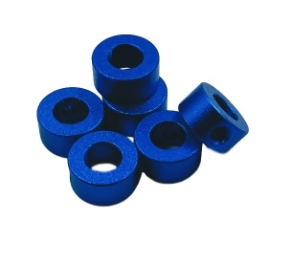
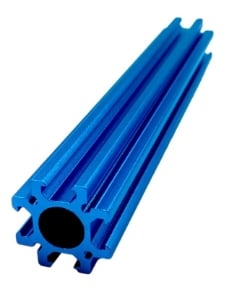
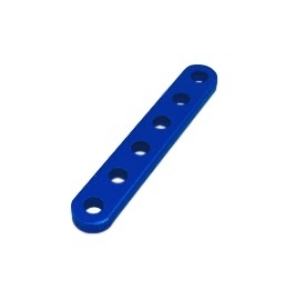
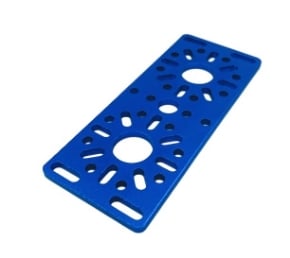
    FTC Starter Bot Resource Guide ExampleHaving reliable building components allows teams to spend more time designing, testing, and improving their robots. Studica Robotics provides FTC teams with affordable, competition-ready robot parts, building systems, and resources to support offseason development. The Studica Robotics building platform includes FTC-compatible structural components, motion components, electronics, hardware, and robot kits designed for classroom learning, team training, and competition use. Teams can also explore different robot designs with durable aluminum structural components available in multiple colors, including blue, green, gold, red, silver, and black. The 6061-T6 aluminum structure system provides a strong, safe, and versatile foundation for building custom robots. FTC teams can  explore FTC robot parts and take advantage of resources including the FTC Starter Bot Resource Guide.


    Frequently Asked Questions

    What should FTC teams do during the offseason?

    FTC teams should use the offseason to develop technical skills, train new members, test robot concepts, practice driving, improve documentation, and prepare team processes before the next competition season.

    Should FTC teams build a competition robot during the offseason?

    The goal of offseason preparation is not necessarily to build a competition-ready robot. Instead, teams should focus on learning, experimenting, and developing skills that will help them during the official season.

    What programming skills should FTC teams learn?

    Teams can practice programming fundamentals such as TeleOp control, sensors, encoders, autonomous routines, odometry, and PID control.

    How can new FTC members prepare before the season?

    New members can learn robot assembly, programming basics, CAD, driving skills, and team processes through offseason projects and Starter Bot activities.

    Prepare Your FTC Team for Success Before Kickoff

    The offseason provides FTC teams with a valuable opportunity to learn, experiment, and improve. Teams that invest time in skill development, testing, documentation, and organization can enter the next season with stronger technical abilities and a clearer strategy. Whether your team is training new members, exploring advanced programming concepts, improving CAD skills, or testing new robot designs, offseason preparation helps create a stronger foundation for competition success. With the right projects and resources, teams can spend less time learning the basics during the season and more time developing innovative solutions.

    EV SSL