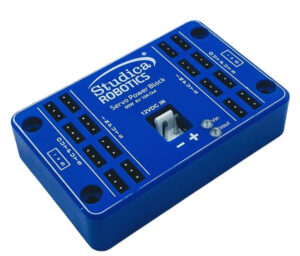
Quick Summary: Power management is crucial for your FIRST® Tech Challenge (FTC) robot. Teams often focus on mechanical design and coding, but many overlook the importance of consistent voltage, clean wiring, and balanced current distribution. This guide explains how to optimize robot power for better performance throughout the DECODE competition. From choosing the right components to monitoring battery health, every step helps ensure your robot performs its best on the field.
Why FTC Robot Power Management Matters
FTC robots rely on stable electrical power for driving, lifting, and manipulating game elements, such as artifacts. When voltage drops or power isn’t distributed efficiently, motors lose torque, servos behave unpredictably, and control systems can even reboot mid-match. Optimizing power isn’t just about avoiding brownouts; it’s about delivering consistent energy to every subsystem, so your robot performs the same in the final match as it did in practice.
💡Power Tips to Keep Your FTC Robot Running Strong
Keeping your FTC robot power system reliable isn’t just about using the right parts. It’s about how you build, wire, and maintain your system. A well-planned electrical layout can make the difference between a clean run and a mid-match reboot. These practical techniques will help your FTC team keep power consistent and performance steady from practice to playoffs.
✅ Start with power mapping. Before wiring your robot, list out every power-consuming component, including motors, servos, sensors, and controllers, and plan how they’ll draw power. This helps prevent overload on any one hub or circuit.
✅ Balance your electrical layout. Keep heavy current components (like drive motors) on one side and lower current devices (like sensors and servos) on the other to distribute the load evenly.
✅ Secure and label all wiring. Use color-coded wire and labeling tape so you can quickly trace circuits during troubleshooting.
✅ Test before mounting. Run all electrical systems on a flat surface before installing them in your robot. Watch for power drops or inconsistent servo movement.
✅ Log voltage data during testing. Monitor your robot’s voltage and current draw using the telemetry tools available in the Control Hub. Watch for any sudden voltage drop-offs, which can indicate wiring issues or uneven power distribution.
These small details can save your team time during inspections and reduce the risk of electrical issues during competition. Once your setup is stable, you can focus on performance and reliability.
⚡Common FTC Robot Power Problems & Solutions
The table below organizes common FTC robot power issues by system type, including 🔴Battery/Voltage, 🟦Motor/Power Distribution, and 🟢 Servo Power, so you can quickly identify problems and solutions relevant to each subsystem.
| Category |
Problem |
Solution / Tip |
| 🔴 Battery/Voltage |
The battery drains quickly |
Check for high current draw (motor stalled or stuck, drivetrain binding, or wiring fault) and test with a known-good battery. |
| 🔴 Battery/Voltage |
Rapid charging damages the battery |
Charge NiMH slowly and consistently |
| 🔴 Battery/Voltage |
Voltage drops from long cables or poor layout |
Mount the FTC Power Block near the battery, keep cables short and organized |
| 🔴 Battery/Voltage |
Voltage dips when the robot draws a lot of current (heavy load). |
Check voltage frequently, swap batteries early |
| 🟦 Motor/Power Distribution |
Extra motors/electronics need power, but space is limited |
Use the FTC Power Block for 12 V distribution; compact design fits tight builds |
| 🟦 Motor/Power Distribution |
Need more DC motor ports |
Use an Expansion Hub; FTC Power Block for additional regulated power |
| 🟦 Motor/Power Distribution |
Power wiring is cramped or tangled |
Plan layout, leave slack for strain relief, and mount the FTC Power Block for easy access |
| 🟦 Motor/Power Distribution |
Servos need max torque/speed far from the Control Hub |
Place the Servo Power Block near the servo cluster to prevent voltage drop |
| 🟢 Servo Power |
Servo hits hard stops or experiences strain |
Set angle limits and neutral position in code |
| 🟢 Servo Power |
Servo moves too slowly or struggles with heavy loads |
Match servo type to the task: Multi-Mode Smart Servo 200 – FAST for speed, Multi-Mode Smart Servo (standard) for torque |
| 🟢 Servo Power |
Servo performance drops due to long cables or shared power lines |
Keep wiring short and direct to maintain a stable voltage |
| 🟢 Servo Power |
Standard servo isn’t getting enough power from the Control Hub |
Use a Servo Power Block (#75006) to provide a steady 6 V supply with more available current |
Wire Gauges & Connectors
A clean wiring layout improves both performance and reliability.
- Use consistent wire gauges. High-current lines (battery to hubs, hubs to motors) should be 14 AWG or thicker. Using thin or mismatched wires can create voltage loss.
- Avoid unnecessary extensions. The longer the wire, the higher the resistance. Keep runs short and direct.
- Secure all connections. Loose wires are one of the most common causes of brownouts. Use ferrules, zip ties, and labels to keep everything tight and organized.
- Inspect connectors regularly. Tug-test every connection before competition day. Replace damaged connectors early.
Proper wiring and connector choice are critical to prevent voltage drops, brownouts, and inconsistent robot performance. Following the FTC Game Manual is mandatory, but using slightly thicker wires and high-quality connectors improves reliability, especially during heavy loads or repeated matches.
📌 Note that in wire gauges, smaller numbers indicate thicker wire, which can carry more current and reduce voltage loss, helping your robot perform more reliably under load.
Choosing the Right Wire Gauge
Use this table to select the appropriate wire gauge for your FTC robot to ensure reliable power delivery and prevent voltage drops.
| Component |
Minimum per FTC Rules (thinnest allowed) |
Recommended for Performance |
Connector Type |
Notes |
| Battery & Main Power |
18 AWG |
14 AWG |
Powerpole (Anderson PP45) |
Thicker wire + high-current connector reduces voltage drop and handles current spikes safely |
| Power Switch |
18 AWG |
12 AWG |
Powerpole (Anderson PP45) |
Maintains consistent current; minimizes voltage drop across the system |
| Motors |
18 AWG |
14 AWG |
Powerpole (Anderson PP45) |
Prevents voltage drops on high-draw motors |
| PWM |
22 AWG |
22 AWG |
Standard |
Maintains signal integrity for motor control |
| Signal |
28 AWG |
24 AWG |
Standard |
Prevents sensor misreads for sensors and telemetry |
Connector Choice:
-
XT30: Rated for 15 A continuous, acceptable for small devices, but can underperform for main power.
-
Powerpole (Anderson PP45) / ANEN: Rated for 30 A continuous, wide spring-loaded contacts reduce resistance, maintain secure connections, and ensure stable current flow to high-draw devices, like motors.
Grounding Straps: Prevent Static-Related Issues
A grounding strap (such as this Resistive Grounding Strap) connects the robot’s electrical ground to the metal frame to safely dissipate static buildup.
Why it matters: Driving over foam or plastic fields can generate static that disrupts sensors, the Control Hub, or LEDs. Symptoms include random disconnects, sensor misreads, servo resets, and reboots.
When to use:
-
Robot reboots after driving over foam tiles
-
Friction-heavy mechanisms (intakes, conveyors, compliant wheels)
-
Static-sensitive components like IMUs or encoders are misbehaving
Installation:
Attach one end to the metal chassis and the other to the battery’s negative terminal. The strap’s resistance (~1 MΩ) allows gradual static discharge, avoiding electrical shorts. The example image below is from the FTC Documentation Website.

💡Battery Management Tips:
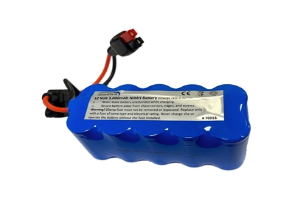
According to the FIRST Tech Challenge DECODE Game Manual, teams are limited to having only one approved 12 V NiMH main battery for their robot. These tips help you keep your battery healthy and ensure reliable output under heavy load. The Studica Robotics 12 V 3000 mAh NiMH Battery Pack pp45 ARES (#70025) is FTC Legal and an excellent choice for teams. Pair it with the NiMH Battery Pack Charger PP45 ARES (#70026) and charge at a slow, consistent rate to extend battery lifespan and prevent overheating.
Here’s what to focus on:
✅ Fully charge and rest your batteries. Batteries perform best when charged fully and allowed to rest for a few minutes before use. Avoid using freshly charged, hot batteries right away.
✅ Rotate your batteries. Use a rotation system so each pack gets equal use. Mark and log their age and performance.
✅ Understand Battery Voltage. Although the FTC robot battery is rated 12 V, a fully charged pack can read around 13 V at rest. This is normal. Under load, the voltage will drop toward 12 V.
✅ Monitor voltage under load. A battery may show 13V when idle, but dips under load. Measure voltage while motors are running; consistent voltage around 12–13V indicates good health.
✅ Check your connectors. Worn or loose connectors can create resistance and heat buildup, leading to voltage drop.
Battery Testing: Keep Your Packs Healthy
Using a computerized battery analyzer allows you to perform a controlled 10 A discharge test on your battery. The results will show you the actual capacity versus the rated 3000 mAh:
🟩 Close to 3000 mAh = healthy
❌ Significantly lower = replace battery
Why it matters: Full voltage doesn’t guarantee performance under load. Regular testing ensures reliable output during matches.
Power Distribution Hubs and Servo Power Blocks
In FTC, servos are limited by how much power the Control Hub or Expansion Hub can supply. For high-torque servos, this can cause performance inconsistencies.
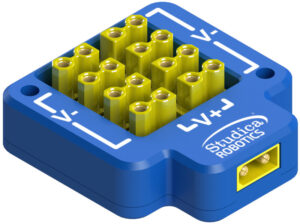
The Studica Robotics Servo Power Block (#75006) is FTC Legal and solves this issue by delivering direct regulated power to up to six servos, independent of the Control Hub’s internal regulator. It connects to the main battery and uses logic-level signals from the hub, ensuring your servos always receive steady voltage.
💡Tips for Choosing the Right Servo
Choosing the right servo for each mechanism is key to reliable robot performance. The following tips help your team select the best servos and optimize their placement for speed, torque, and stability.
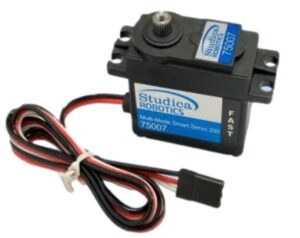
✅ High-RPM servos like the FTC Legal, Studica Robotics Multi-Mode Smart Servo 200 – FAST (#75007) are ideal for quick mechanisms such as indexers or feeders. It delivers programmable high‑speed performance for servo‑driven subsystems.
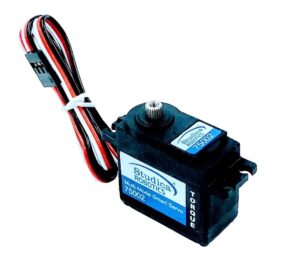
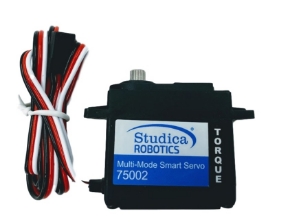
✅ Standard Multi-Mode Servos (#75002) provide higher torque for heavier mechanisms like arms or claws. Matching servo type to its mechanical task reduces strain, lowers current draw, and ensures consistent performance. This is especially useful for robots using multiple servos for complex mechanisms like claws, lifts, or multi-axis arms, where stable servo performance is critical.
✅ Mount the Servo Power Block close to the servo clusters and use the PWM Cable Set (#71011) to minimize voltage drop.
Smart Motor and Control Hub Best Practices
Proper management of motors and the Control Hub ensures consistent power distribution, reducing the risk of performance issues. Use these best practices to balance load, protect your electronics, and maintain smooth operation throughout competition.
➕ Distribute motor loads evenly. Avoid powering all high-current motors (like drive motors) from the same port bank. Spread them across multiple hubs or channels.
➕ Check firmware and wiring. Firmware updates often improve power handling on hubs. Be sure to keep everything current.
➕ Use expansion hubs strategically. If your robot has many motors and servos, an Expansion Hub can help balance electrical load across systems.
➕ Add extra ports with the FTC Power Block. For robots that require more motors than the Control Hub can supply, the FTC Legal FTC Power Block provides additional regulated ports, keeping voltage stable across all high-current devices.
➕ Secure your Control Hub. Vibrations can cause loose connections, especially on USB and power plugs. Mount the hub on vibration-dampening pads or secure plates.
📌 Note: For the DECODE season, FTC robots are limited to a total of 8 motors and 10 servos per the DECODE™ Competition Manual.
Testing + Monitoring = Keys to Match Readiness
Testing your robot’s electrical system before every match can save a run.
✅ Measure voltage drop during practice runs. Use telemetry to track voltage behavior under load.
✅ Inspect wiring visually. Look for pinched or frayed wires after every round of testing.
✅ Use current monitoring tools. Devices like ammeters or telemetry-based monitors can help identify which components draw the most power.
Having a stable power setup ensures the robot’s drive base and manipulators respond consistently, giving your drivers predictable control.
Telemetry Tools in Action
FTC teams can use the Control Hub’s telemetry blocks in Block programming to display key data on the Driver Hub.

-
Tracking battery voltage: Use the VoltageSensor block to monitor if the battery stays above 12 V under load. 
-
Tracking motor current: Use the Tracking Current Data block under Actuators > DC Motor > Extended to check each motor’s draw. 
Example Block (FTC) Code:
Driver Hub Display: Drivers see real-time voltage and motor current readings, helping catch low-voltage conditions or overworked motors. 
💡Tips for Choosing the Right Power Components
Selecting the right power components helps your FTC robot stay efficient and reliable during every match.
➕ Simplify power distribution. Use 14 AWG or thicker wire from the battery to hubs, and keep runs short. The FTC Power Block helps simplify and organize 12 V power distribution across components.
➕ Support high-torque servos. When running multiple or high-load servos, use the FTC Legal Servo Power Block for a stable 6 V output without overloading the Control Hub.
➕ Pick servos for their role. The Multi-Mode Smart Servo 200 – FAST (FTC Legal) offers high speed for quick mechanisms, while the Standard Multi-Mode Smart Servo (FTC Legal) provides more torque for heavier systems.
➕ Keep wiring short and secure. Use Powerpole (Anderson PP45) connectors and minimize wire length to reduce resistance and maintain stable voltage.
💡 Practical Tips for FTC Teams
Beyond power distribution and battery care, there are additional practical steps your FTC team can take to keep your robot running smoothly. The following tips cover maintenance, servo management, and system checks that help your robot perform consistently during matches.
✅ Keep spare batteries charged and labeled with voltage readings.
✅ Replace connectors showing signs of oxidation or wear.
✅ Store batteries in a cool, dry environment between events.
✅ Run a full power system check before each match.
✅ Use a Servo Power Block for high-torque servos far from the Control Hub.
✅ Keep wiring short, labeled, and secure.
✅ Match servos to mechanical tasks: FAST for speed, Standard for torque.
✅ Monitor telemetry for voltage and motor current.
✅ Rotate and rest batteries, store in cool, dry locations.
✅ Install grounding straps for static-sensitive mechanisms.
✅ Use high-quality connectors (Powerpole (Anderson PP45)/ANEN) over XT30 for main power delivery.
Frequently Asked Questions
What causes voltage drops in FTC robots? Common causes include weak batteries, undersized wires, and loose connectors. Each adds resistance, reducing available voltage to motors and servos.
Can I power servos directly from the Control Hub? Yes, but high-torque servos may draw more current than the Control Hub can safely supply. A Servo Power Block, such as the one offered by Studica Robotics, ensures reliable power for multiple servos.
How do I know if my battery is going bad? If the voltage drops sharply during load, or your robot’s performance varies between matches despite a full charge, the battery may have reduced capacity.
Is rewiring my robot worth it mid-season? Yes, clean wiring reduces resistance, improves reliability, and makes troubleshooting much easier during competition.
Why is my robot browning out or losing power?
Brownouts happen when the voltage drops below the hub’s minimum level. Check for loose or undersized wires, damaged connectors, or weak batteries. Using the correct gauge wire and healthy batteries helps prevent voltage dips.
What does the “Multi-Mode” in Multi-Mode Smart Servo mean?
It refers to the servo’s ability to operate in different control modes, such as position, speed, or continuous rotation, offering greater flexibility in FTC robot design.
How do I choose the right Multi-Mode Smart Servo for my FTC robot? Use the FAST 200 for quick, lightweight mechanisms and the Standard model for higher torque applications like arms or claws. Matching servo speed and strength to the job helps prevent overheating and keeps performance consistent.
Can I mix Studica Robotics and other components?
Yes. Studica Robotics motors, servos, and accessories are designed for direct compatibility with the Control Hub and Expansion Hub, making them easy to integrate into your existing FTC robot.
Mini Glossary
See below for key terms referenced throughout this guide.
-
AWG (American Wire Gauge): Wire thickness standard; smaller numbers mean thicker wire.
-
Ferrules: Metal sleeves crimped onto wire ends for secure connections.
-
Multi-Mode Smart Servo 200 – FAST (#75007): High-speed, FTC Legal servo for quick mechanisms.
-
Powerpole (Anderson PP45): High-current connector rated for 30 A continuous, used for main power distribution.
-
Servo Power Block (#75006): FTC Legal device that delivers steady 6 V to up to six servos, reducing voltage drops.
-
Standard Multi-Mode Smart Servo (#75002): Higher-torque, FTC Legal servo for heavy mechanisms like arms or claws.
-
Telemetry: Real-time data from the Control Hub displayed on the Driver Hub, including battery voltage and motor current.
Final Thoughts
Reliable power isn’t just about preventing shutdowns; it's the foundation of a competitive FTC robot. Teams that manage battery health, wiring, and motor distribution effectively spend less time troubleshooting mid-match and more time scoring. With consistent power delivery, your FTC robot performs predictably, recovers smoothly from impacts, and gives drivers confidence every match.



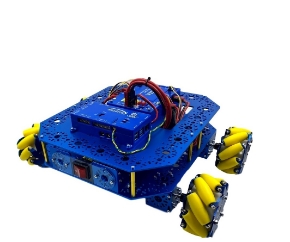
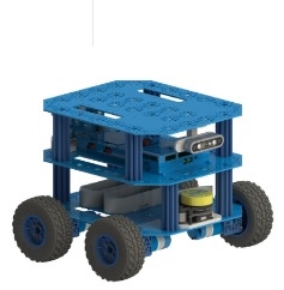
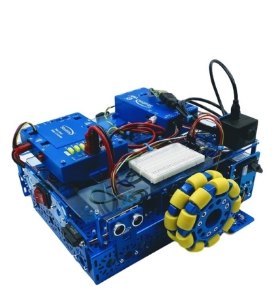
















 The energy is building, the robots are ready, and teams are preparing for one of the most exciting events in STEM. The FIRST® Championship 2026, presented by BAE Systems, takes place from April 29 to May 2 in Houston, Texas.
 mentors, and educators come together not just to compete, but to share ideas, learn from one another, and be part of something bigger. It’s where you see months of iteration come to life on the field, where innovative designs are pushed to their limits, and where teams discover what they’re truly capable of.
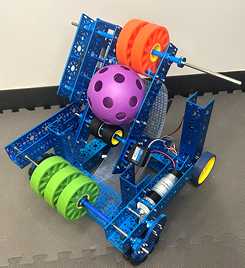 For more than 40 years, Studica has supported education and industry with technology designed to help learners build real-world skills through hands-on experience. Through its robotics division, Studica Robotics continues that mission by developing a modular building platform designed for STEM education and competitive robotics teams.
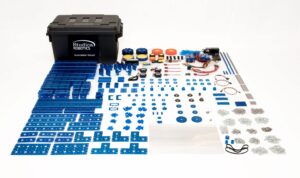
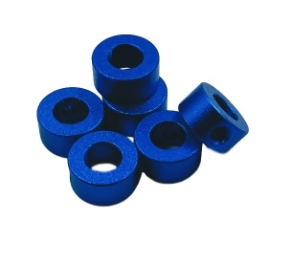
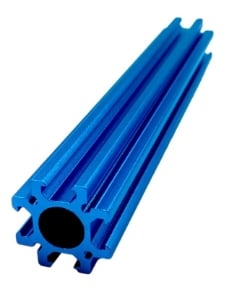
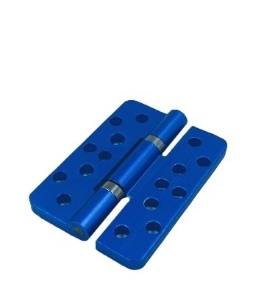
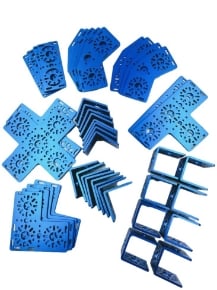
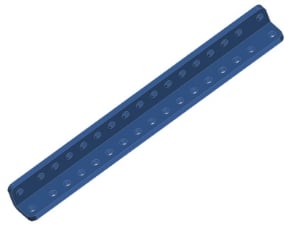
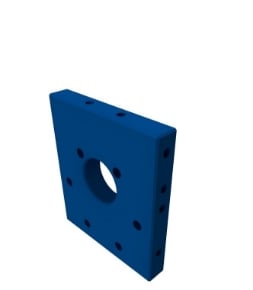
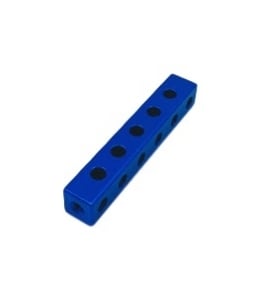
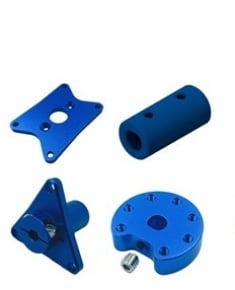
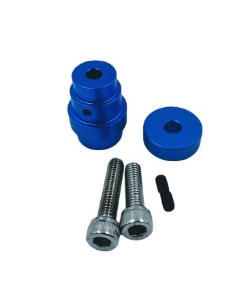
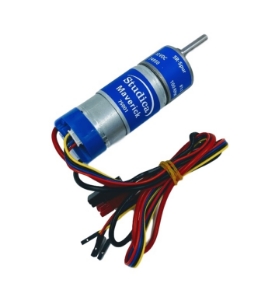
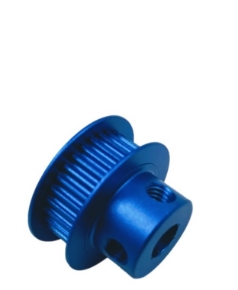
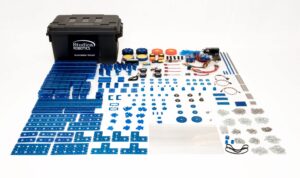 The Studica Robotics FTC Starter Kit for the 2025–2026 DECODE™ season is designed to help teams move quickly from concept to competition-ready robot. Available in six structure colors, the kit supports flexible design, rapid prototyping, and hands-on learning throughout the build season. New for this year, the kit includes 6mm HEX components and shafts, and updated Maverick HEX shaft motors with multiple planetary gearbox options, giving teams more control over drivetrain performance, torque, and mechanism design.
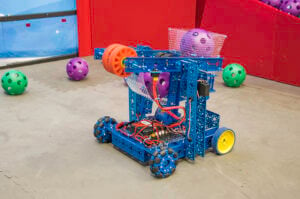
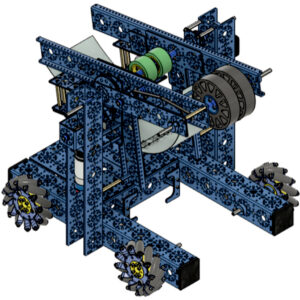
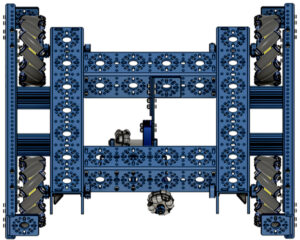
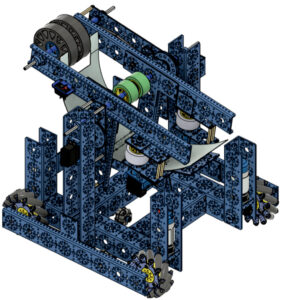
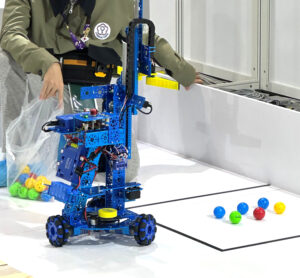
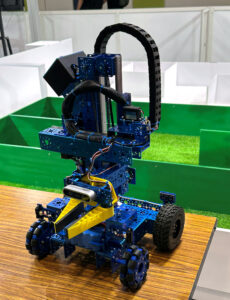
 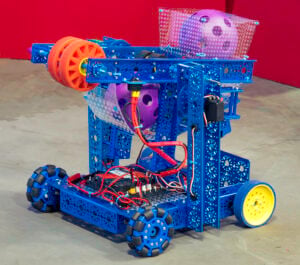 The FTC Starter Bot, built using the Starter Kit, provides a functional baseline robot for DECODE™ gameplay. It helps teams spend less time on initial fabrication and more time on iteration, strategy, and refinement. Designed to demonstrate core tasks such as receiving and holding game pieces, moving them across the field, indexing into a mechanism, shooting toward the goal, actuating field elements, and running a basic autonomous routine, it gives teams a clear starting point for development. While fully functional, the design is intentionally a starting point, giving teams room to modify and improve based on their own strategy and ideas.
  For FRC Teams
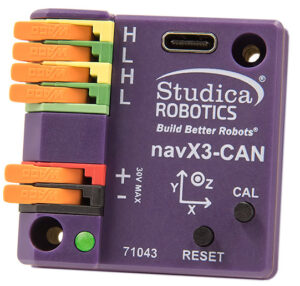
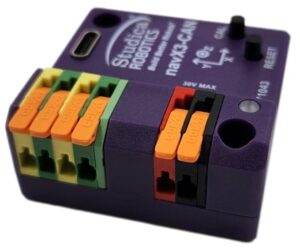 When combined with a range of FRC-ready components, Studica Robotics supports teams building systems that prioritize accuracy, durability, and performance under pressure. From structural components to advanced sensors, Studica Robotics helps teams build with confidence and compete at their best.